Privacy and sharing
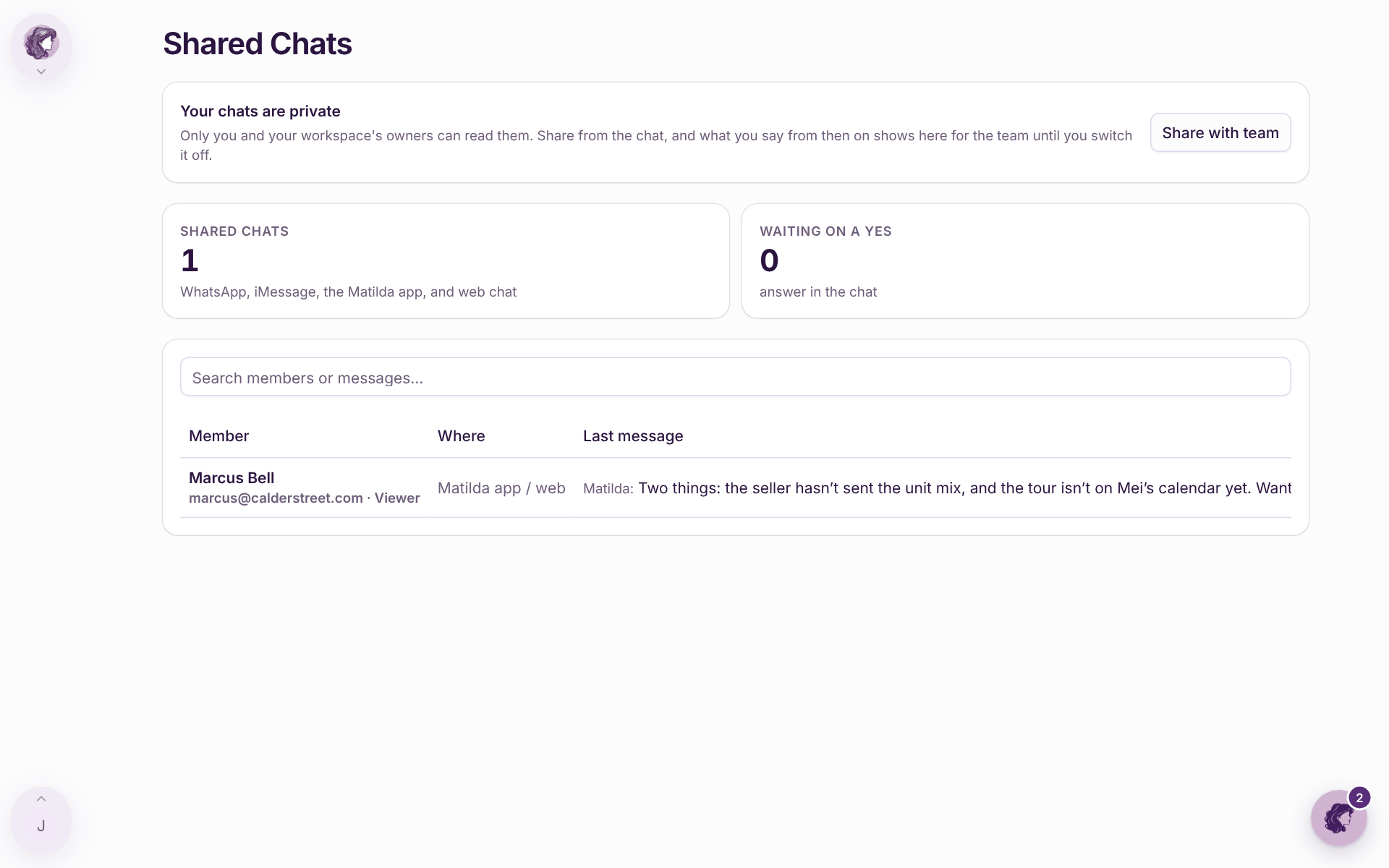
Every chat starts private: only you and your workspace's owners can read it, with its Activity and the changes she proposed. Admins manage the workspace but don't read members' chats.
Share with your team
| To | Do one of these |
|---|---|
| Start sharing | Hover her picture in web chat and click the lock · click Share with team on Shared Chats · send /share |
| Stop sharing | Click the lock again · send /private |
| Check | Send /sharing |
/share, /private and /sharing work as a message on their own on any channel. Matilda can't switch it for you.
What teammates see
Only what's said while sharing is on, on Shared Chats. The thread marks where sharing started and stopped. While you share, she doesn't use your private memory in that chat.
Who sees what
| You | Teammates | Admins | Owners | |
|---|---|---|---|---|
| Your private chats and their Activity | ✓ | ✓ | ||
| What you said while sharing | ✓ | ✓ | ✓ | ✓ |
| Your private memory | ✓ | |||
| Team memory | ✓ | ✓ | ✓ | ✓ |
| Your Private Library | ✓ | |||
| The Team Library | ✓ | ✓ | ✓ | ✓ |
| What's in your Feed and morning brief | ✓ |
Your data
- Tools: she sees only what you connected, with your own login. Disconnect any of them on Profile.
- Never shown to members: keys, settings, her instructions, or which AI model she runs on (owners see the model).
- Where it lives: on dedicated hardware we manage for your firm, not shared cloud.
- Outsiders: only people with a Matilda account can talk to her. A text from an unknown number gets a sign-in link back, and nothing about it is saved.
- Delete your data: email hello@matildahq.com from your account's address. See the Privacy Policy.